
How to Upload Seafood Inventory Data Via CSV File
Whether you are managing a large list of inventory items, you can use our CSV Upload Feature to bulk upload items to the Ocean Wise Portal. Please follow the guidelines below to ensure a smooth upload process. Important: When using the CSV Upload feature, make sure you select the correct template (Inventory vs. Product), as each requires a different format.
Step 1: Download the Inventory CSV Template
Navigate to the Inventory Page.
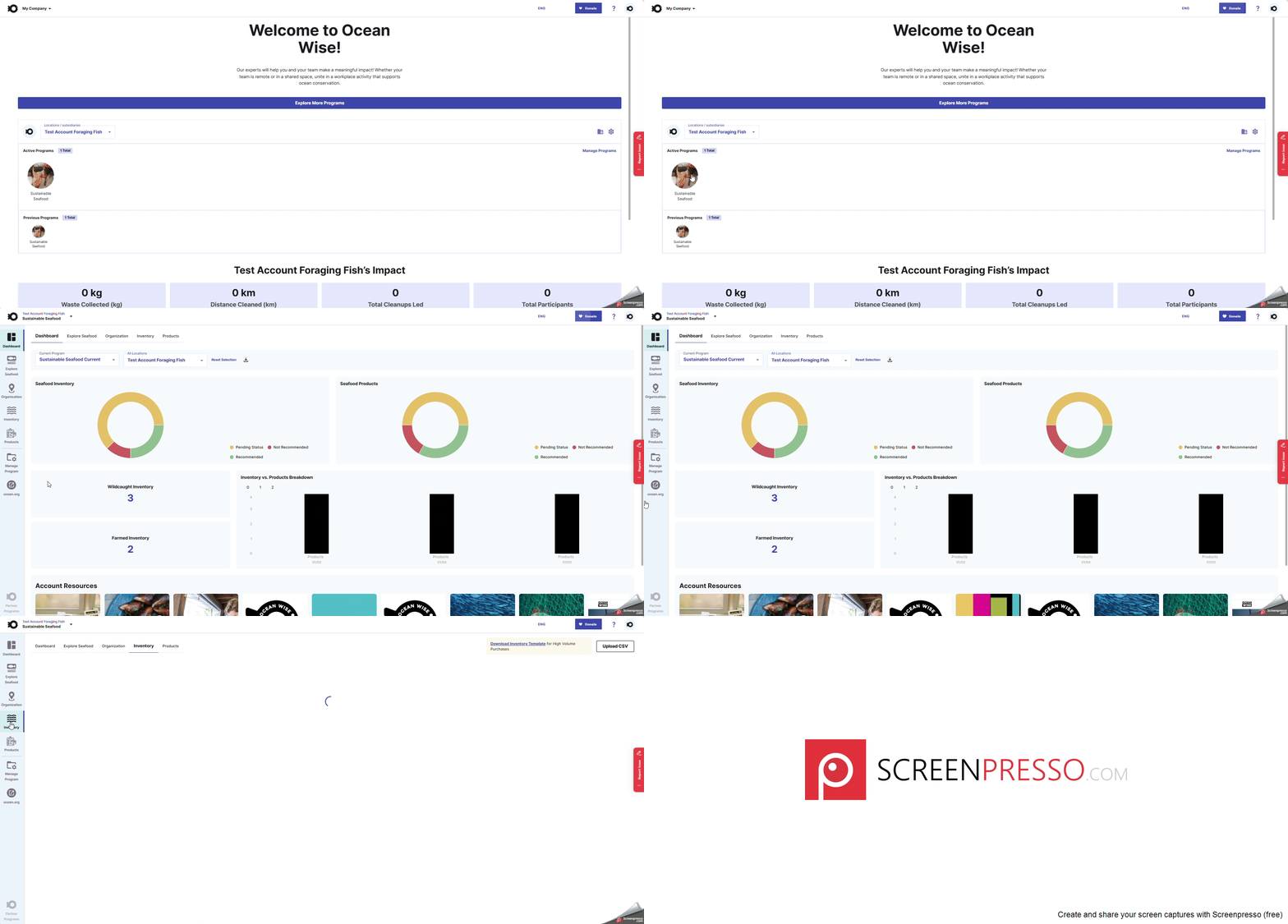
Locate the Download Inventory Template button at the top-right corner above the table.
Click the Download CSV file button to download a copy of the appropriate template.
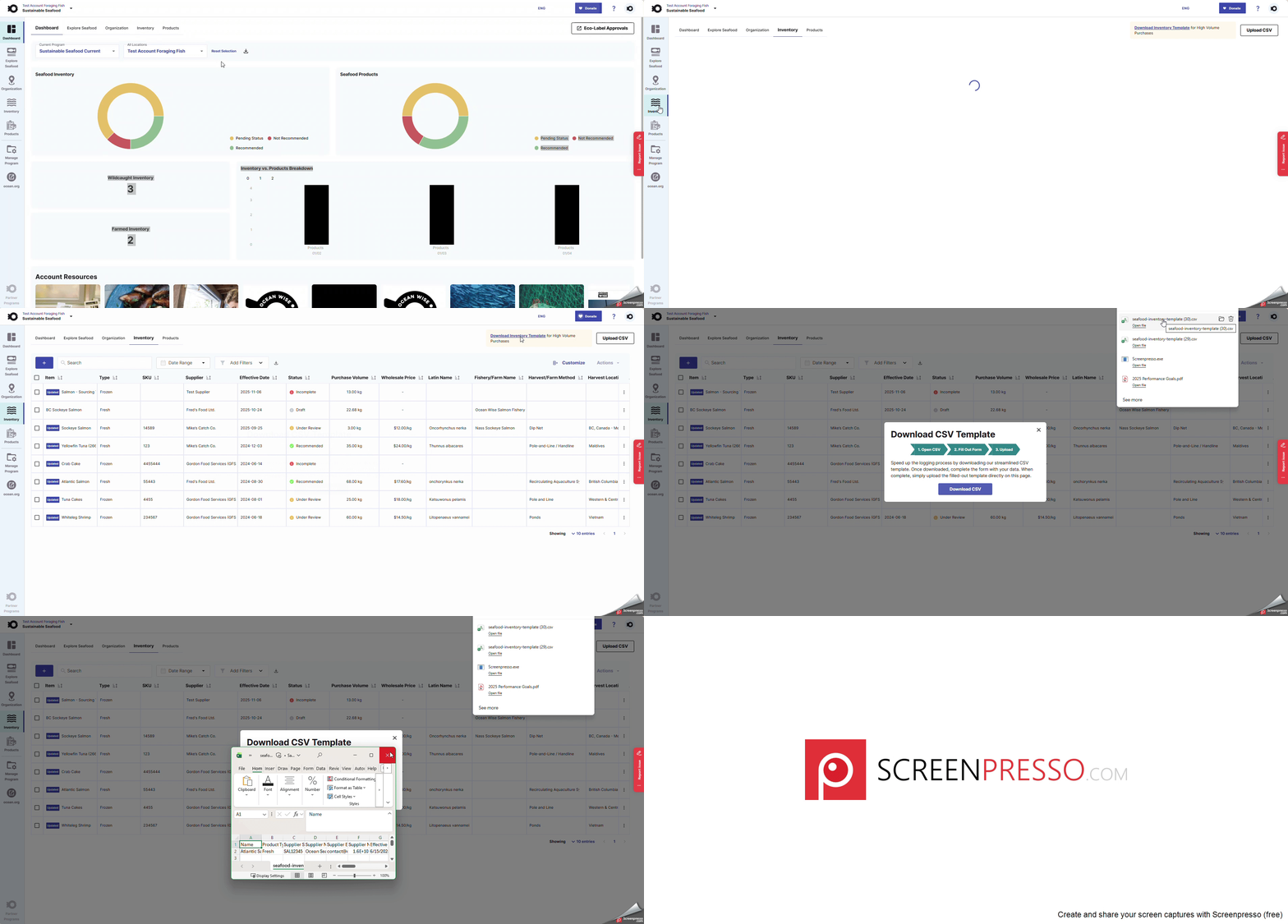
Step 2: Fill out CSV File
All columns are mandatory and must be completed, except for Wholesale Price and Supplier Email. If you choose not to include a supplier’s email address, please ensure that an alternative point of contact email is provided so we can confirm sourcing details if needed. Please provide as much detail as possible. To see examples for each column, scroll down to the section titled “Inventory: CVS Template Field Rules.”
CSV Formatting Guidelines
To ensure your CSV uploads correctly, follow the following rules:
Do not modify the columns in the template
Each CSV file should contain no more than 300 items. If you have more than 300 items, split them into multiple files.
Ensure the file is not empty.
CSV files are lists of data separated by commas. Most letters, numbers, and symbols are supported, but some characters may cause errors if not handled correctly.
Allowed Characters (ASCII)
Uppercase letters: A to Z
Lowercase letters: a to z
Numbers: 0 to 9
Common symbols: ! @ # $ % ^ & * ( ) - _ + = { } [ ] | \ : ; " ' < > , . ? /
Step 3: Uploading your CSV File
Once your file is prepared, return to the Inventory page.
Use the CSV Upload feature to select and upload your CSV file.
Need Help?
If you experience any issues with your CSV upload, please reach out to your Ocean Wise representative for assistance. You can also contact us via seafood@ocean.org email.
Inventory: CVS Template Field Rules
Field Name | Field Rules | Example |
Name | Minimum length: 3 characters Maximum length: 80 characters No emojis allowed No excessive spaces (no double spaces, no trailing spaces) Must not start with Spaces | 60 Butterfly Shrimp Skewer Shell on 5 PCS |
Product Type | Must be one of the following: Fresh, Frozen, Shelf Stable Case sensitive | Frozen |
Supplier SKU | Minimum length: 3 characters Maximum length: 80 characters No Emojis allowed No excessive spaces | 20552 |
Supplier Name | Minimum length: 3 characters Maximum length: 80 characters No Emojis allowed No excessive spaces | My Seafood Corporation |
Supplier Email | Must be valid email format Maximum length: 256 characters | contact@test.com |
Supplier Number | Must match phone number pattern | +84 290-123-4567 |
Effective Date | Must match format: YYYY-MM-DD | 2025-09-29 |
Latin Name | Maximum length: 80 characters No emojis allowed No excessive spaces | Paneus monodon |
Catch Type | Must be one of: Farmed, Wild Case sensitive | Farmed |
Harvest Method | Maximum length: 80 characters No emojis allowed No excessive spaces | Extensive Shrimp Farming Systems |
Harvest Location | Maximum length: 80 characters No emojis allowed No excessive spaces | Vietnam |
FAO Management Area | Maximum length: 80 characters No emojis allowed No excessive spaces Do not add multiple FAO areas | FAO 71 |
FAO Sub Management Area | Maximum length: 80 characters No emojis allowed No excessive spaces | N/A |
ECO Certification | Maximum length: 80 characters No emojis allowed No excessive spaces | MSC-F-XXXX |
Fishery Name | Maximum length: 80 characters No emojis allowed No excessive spaces | Philippine Handline Yellowfin Tuna Fishery |
Wholesale Price | Must be a valid number Must be > 0 | 12.47 |
Purchase Volume | Must be a valid number Must be > 0 | 332.31 |
Inventory notes | Maximum length: 500 characters No emojis allowed No excessive spaces | Foodservice packs. Supplier SKU is 20552. |